
Quick Answer: Yes, you can watch ESPN Plus on Spectrum TV, and you do not pay extra for it. ESPN+ is now part of ESPN Unlimited, which Spectrum includes with Stream TV Signature, Stream TV Pro and Stream TV VIP. You turn it on once in your Spectrum account, then watch in the ESPN app. It has no channel number, because it is an app and not a channel.
We checked this on October 7, 2026 against Spectrum’s streaming apps page, two Charter press releases and ESPN’s own help pages. Charter is Spectrum’s parent company. The ESPN help pages were last updated in August and September 2026.
What happened to ESPN Plus on Spectrum?
Three changes in three years explain why older guides, and older Spectrum pages, no longer match what you see in your account.
| Date | What changed |
|---|---|
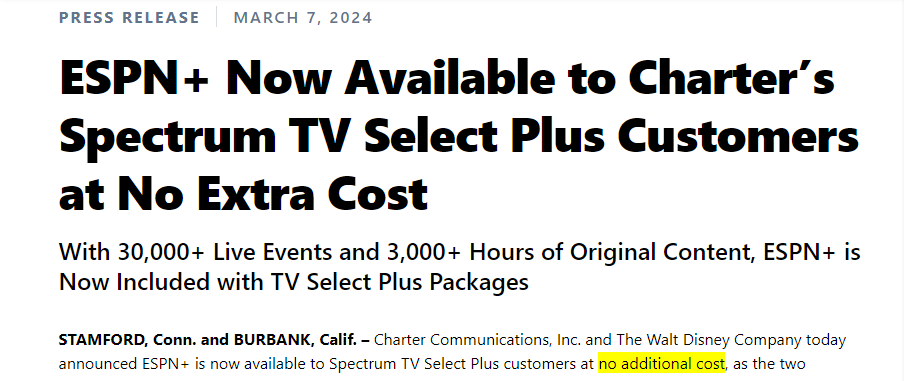
| March 7, 2024 | Charter announced ESPN+ at no extra cost for TV Select Plus customers only. |
| August 21, 2025 | Charter said ESPN Unlimited was now included with eligible Spectrum TV plans. ESPN Unlimited includes ESPN+. ESPN now sells ESPN+ by itself under the name ESPN Select. |
| September 16, 2026 | Spectrum renamed its plans. TV Select Signature became Stream TV Signature, TV Select Plus became Stream TV Pro and TV Platinum became Stream TV VIP. |
So the name ESPN Plus has mostly gone, but the games and shows have not. On Spectrum they now sit inside ESPN Unlimited.
Which Spectrum plans include ESPN Plus now?
Spectrum’s streaming apps page lists ESPN Unlimited with all three Stream TV plans. That is a wider offer than in 2024, when only one plan had ESPN+.
| Spectrum plan | Old name | ESPN Unlimited, with ESPN+ |
|---|---|---|
| Stream TV Signature | TV Select Signature | Included |
| Stream TV Pro | TV Select Plus | Included |
| Stream TV VIP | TV Platinum | Included |
Note: Spectrum’s page names only these three plans. Spectrum describes its cheaper TV Lite plan as one for people who do not use streaming apps, so do not expect ESPN Unlimited with it.
What is that worth? ESPN’s help page lists ESPN Unlimited at $31.99 a month and ESPN Select at $13.99 a month when you buy them from ESPN. With an eligible Spectrum plan you pay neither. Our Stream TV Signature, Pro and VIP comparison shows what else each plan includes.
How do you activate ESPN Unlimited on Spectrum?
You activate it once, on Spectrum’s website, and then sign in to the ESPN app. These steps follow ESPN’s help page for Spectrum customers, last updated September 16, 2026.
Step 1. Go to spectrum.net/signin and sign in with your Spectrum username and password. If you have trouble here, our Spectrum login guide covers each way to get in.
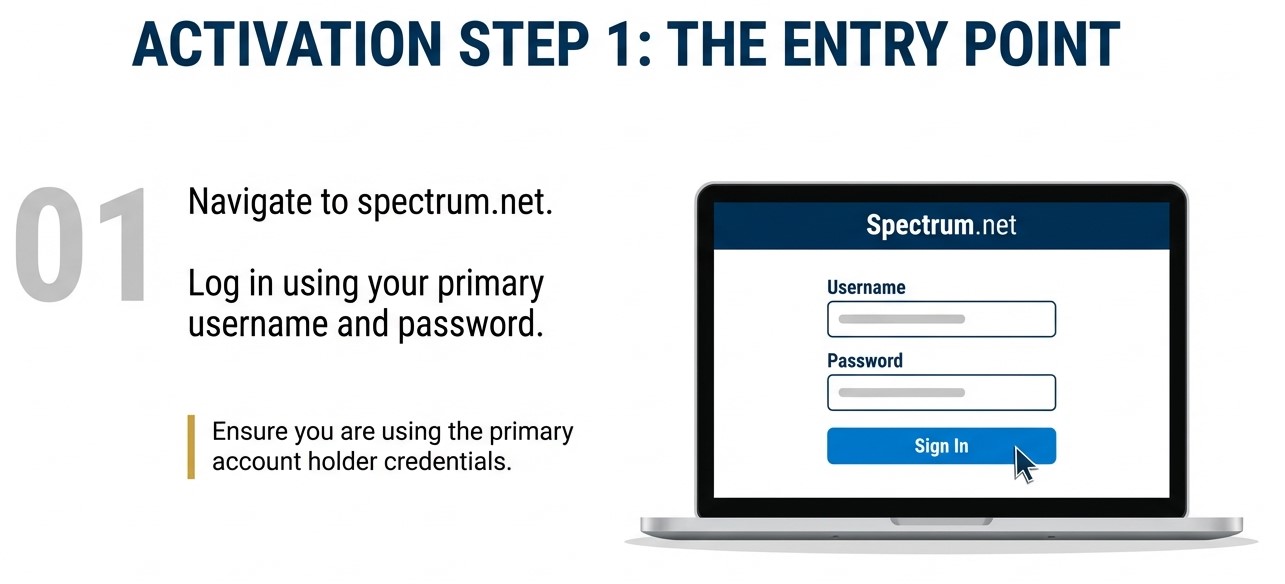
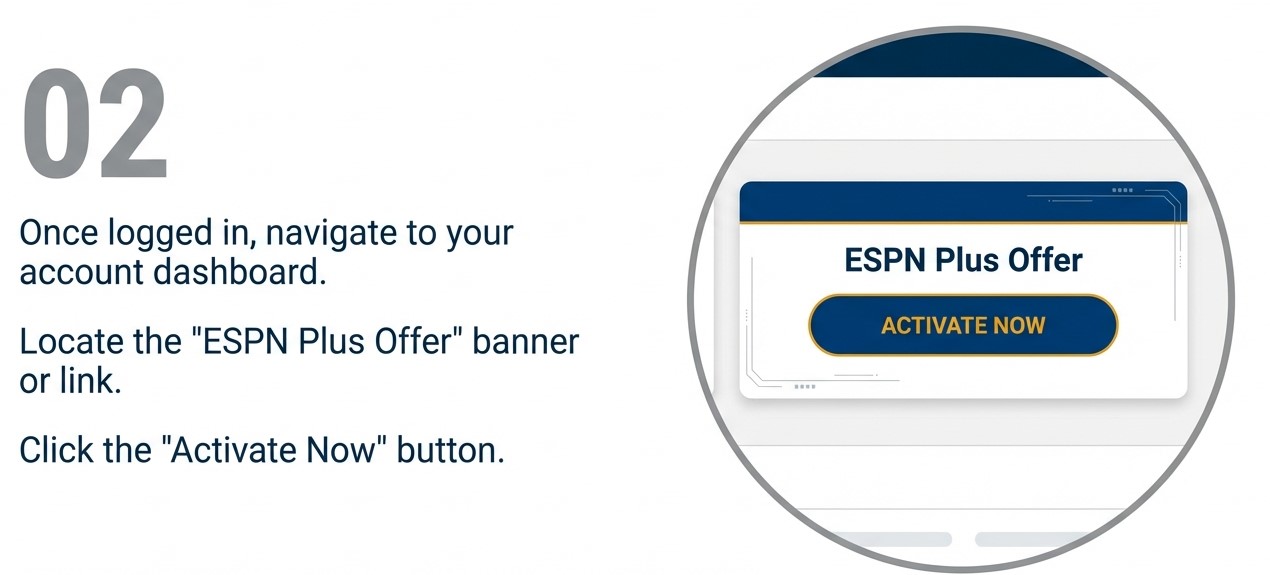
Step 2. On the Account Overview page, choose TV/Streaming. Then click the blue Get Started button.
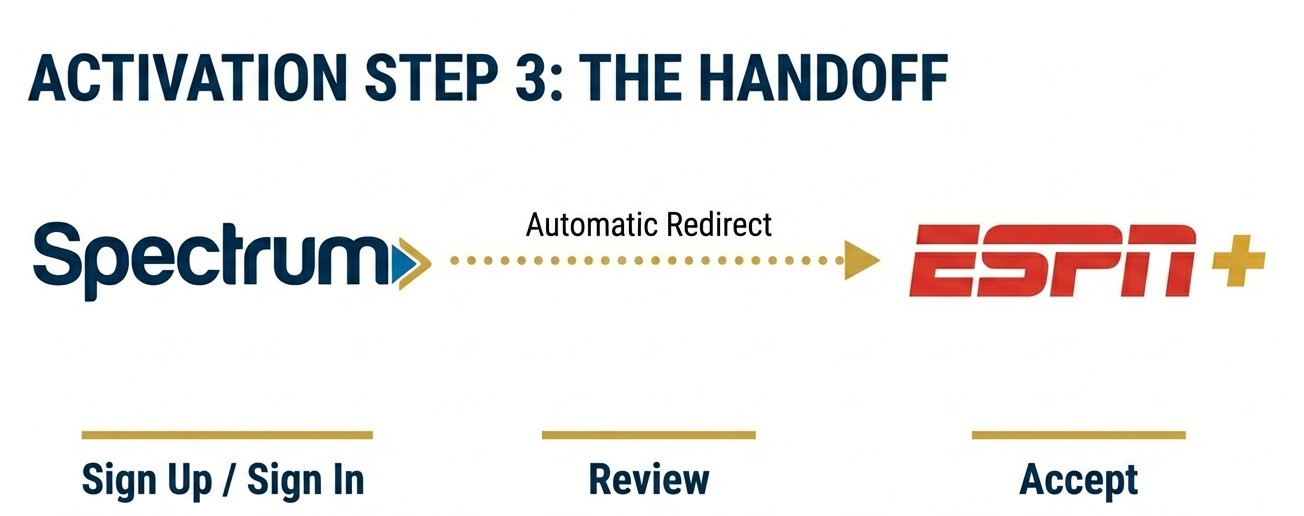
Step 3. Follow the ESPN screens. Enter the email and password you want to use for ESPN, read the terms and accept them. If you already have an ESPN or Disney login, use that same email.
Step 4. Open the ESPN app on your TV, phone or computer. Sign in with the email and password from step 3 and start watching.
Charter says you can also start from the My Spectrum app. ESPN adds that you only activate once. If you did it before the plan rename and linked your login, you do not need to do it again. The full steps are on ESPN’s activation help page.
Why is there no ESPN Plus channel number on Spectrum?
ESPN+ was never a TV channel. It is a library of live games and shows inside the ESPN app, so your Spectrum guide has no number for it. That does not change with ESPN Unlimited.
The regular ESPN channels do have numbers, and they change by city. Our guide to all four ESPN channels explains what each one carries, and the Spectrum channel lineup shows where they sit by plan. For college sports, see ESPNU on Spectrum.
ESPN’s help page says ESPN Unlimited also streams ESPN, ESPN2, ESPNU, ESPNEWS, ESPN Deportes, SEC Network and ACC Network. So you can watch those in the ESPN app too, away from your cable box.
Already paying for ESPN Plus? Stop the second bill
This is the mistake that costs people money. Turning on ESPN Unlimited through Spectrum does not cancel a plan you already pay ESPN, Disney or an app store for. Spectrum’s own ESPN page says its offer will not replace a subscription you already have.
| If you still pay for | Price from ESPN | Cost over 12 months |
|---|---|---|
| ESPN Select, the old ESPN+ | $13.99 a month | $167.88 |
| ESPN Unlimited | $31.99 a month | $383.88 |
Activate through Spectrum first and check that the ESPN app works. Then cancel the paid plan in the place where you bought it. If ESPN is part of a Disney bundle you pay for, look at what else that bundle gives you before you cancel.
ESPN Unlimited is not working on Spectrum. What should you check?
| Problem | Likely fix |
|---|---|
| There is no Get Started button under TV/Streaming | Check the plan name on your bill. It needs to be Stream TV Signature, Pro or VIP. If it is and the button is still missing, contact Spectrum. |
| The ESPN app asks you to subscribe | You are probably signed in with a different email. Sign out, then sign in with the email you used when you activated. Do not buy a plan inside the app. |
| You activated ESPN+ years ago and wonder if you must redo it | ESPN says you do not need to activate again if you already linked your login. |
| You changed to a cheaper TV plan and ESPN stopped working | Spectrum says you lose the included ESPN plan if you drop TV or move to a plan that is not eligible. |
| You cannot find ESPN+ in the channel guide | It is not there. Open the ESPN app. |
Should you change Spectrum plans to get it?
Not for ESPN alone. Spectrum lists TV Lite at $45 a month. Add ESPN Unlimited from ESPN at $31.99 and you pay $76.99. Stream TV Signature costs $100 a month on its introductory offer and $130 after that, before taxes and fees.
Signature makes sense when you would use several of the apps that come with it. Spectrum’s page lists Disney+, HBO Max, Peacock and Paramount+ among them. Add up what you pay for those today. The gap between TV Lite and Signature is $55 a month on the offer and $85 after it. If your app bills come to more than that, the bigger plan is the cheaper one.
Football fans should also know that NFL RedZone on Spectrum comes from a separate add-on. Our NFL Network and NFL RedZone on Spectrum guide has the price. Whatever you choose, activate ESPN Unlimited the day your plan starts. It is included in your bill whether you turn it on or not.

The author specializes in U.S. cable, satellite, and streaming TV services, with hands-on experience analyzing channel lineups, regional restrictions, equipment requirements, and contract terms. All the content is written with clear, easy-to-understand explanations to help readers compare services accurately and make informed decisions.
2 thoughts on “How to Watch ESPN Plus on Spectrum TV, Now Inside ESPN Unlimited”